
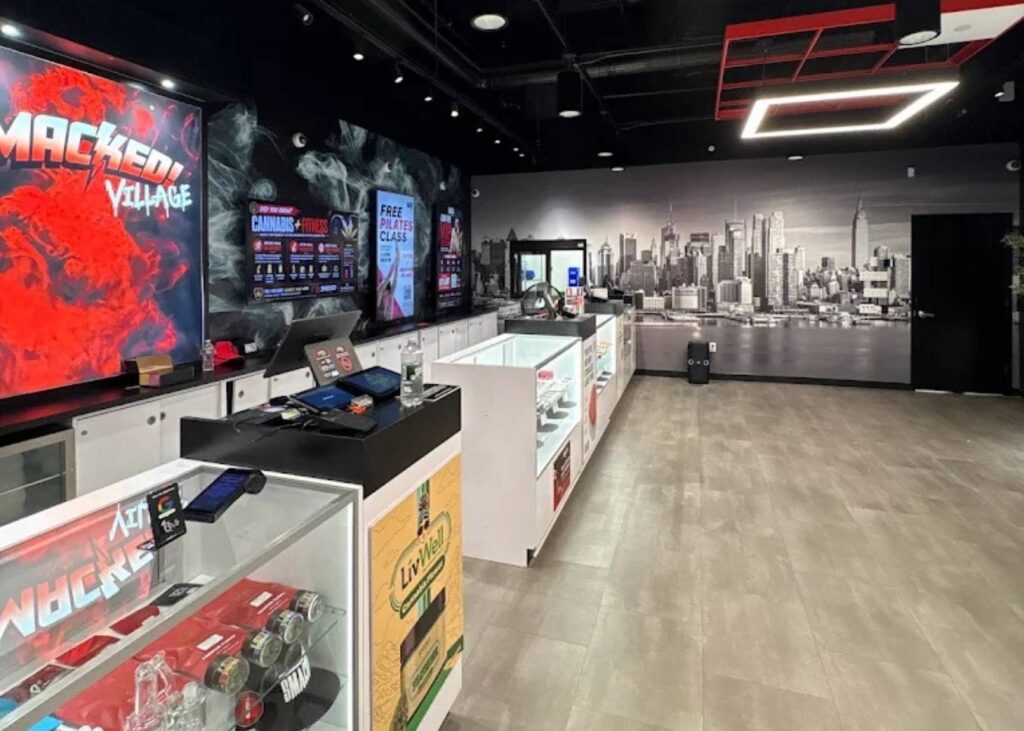
Order ahead for pickup at Smacked Village dispensary by browsing our live menu and placing your order before you arrive.
Pickup is available at 144 Bleecker St. in Greenwich Village.
Bring a valid government-issued ID showing you’re 21+. Wait for your order confirmation before heading over.
You can pay using cash, debit, or Dutchie Pay.
Order ahead when you already know what you want or want to check what’s currently available before making the trip.
How to Order Cannabis for Pickup
Step 1: Open the Smacked Village Online Menu
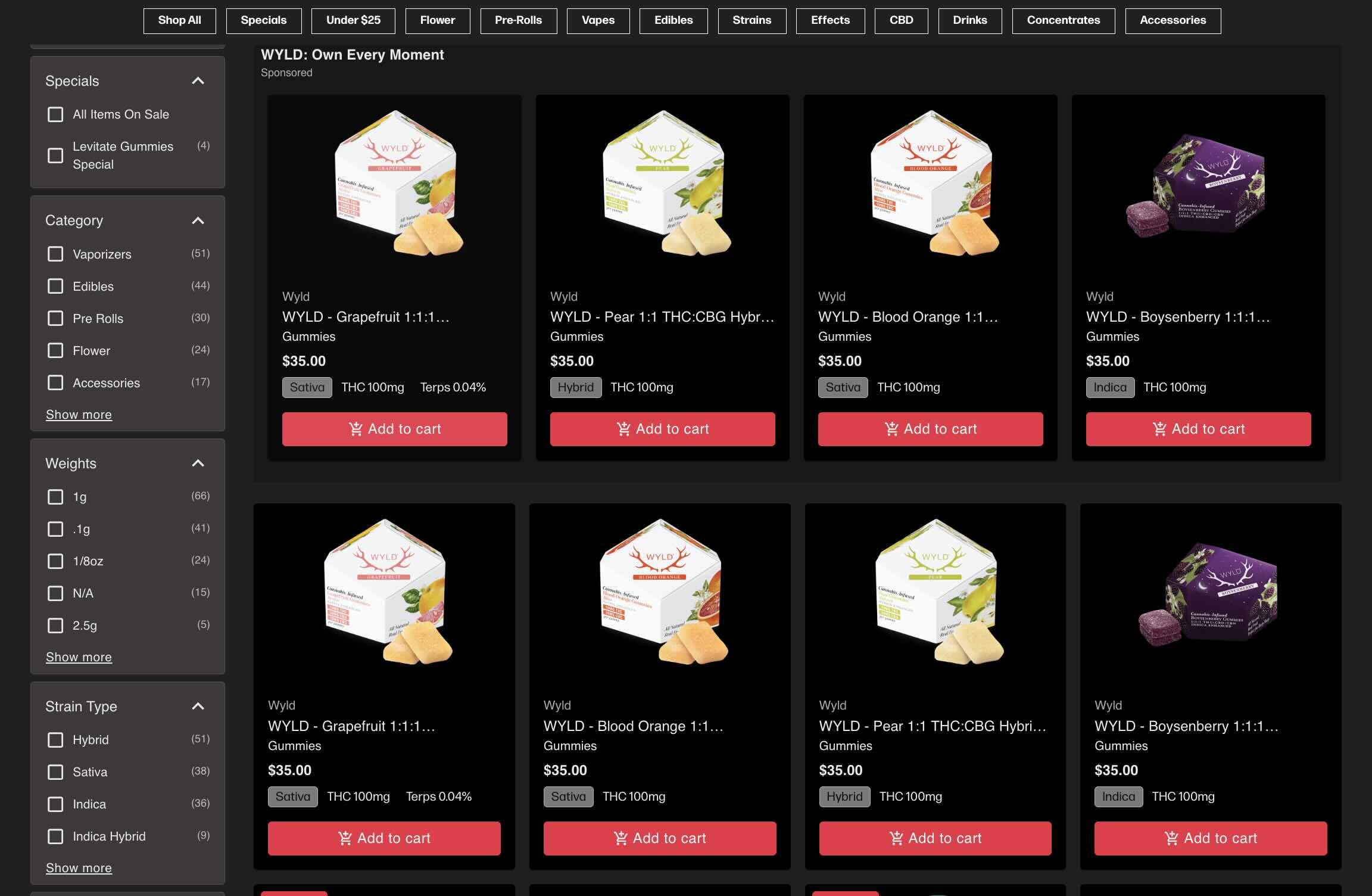
Start by opening the Smacked Village menu.
You can browse category menus, jump into a specific subcategory, check current specials, or use Shop All to see everything available.
If you already know the type of product you want, starting with a category is the quickest way to narrow your choices.
Step 2: Browse the Menu and Narrow Down Your Options
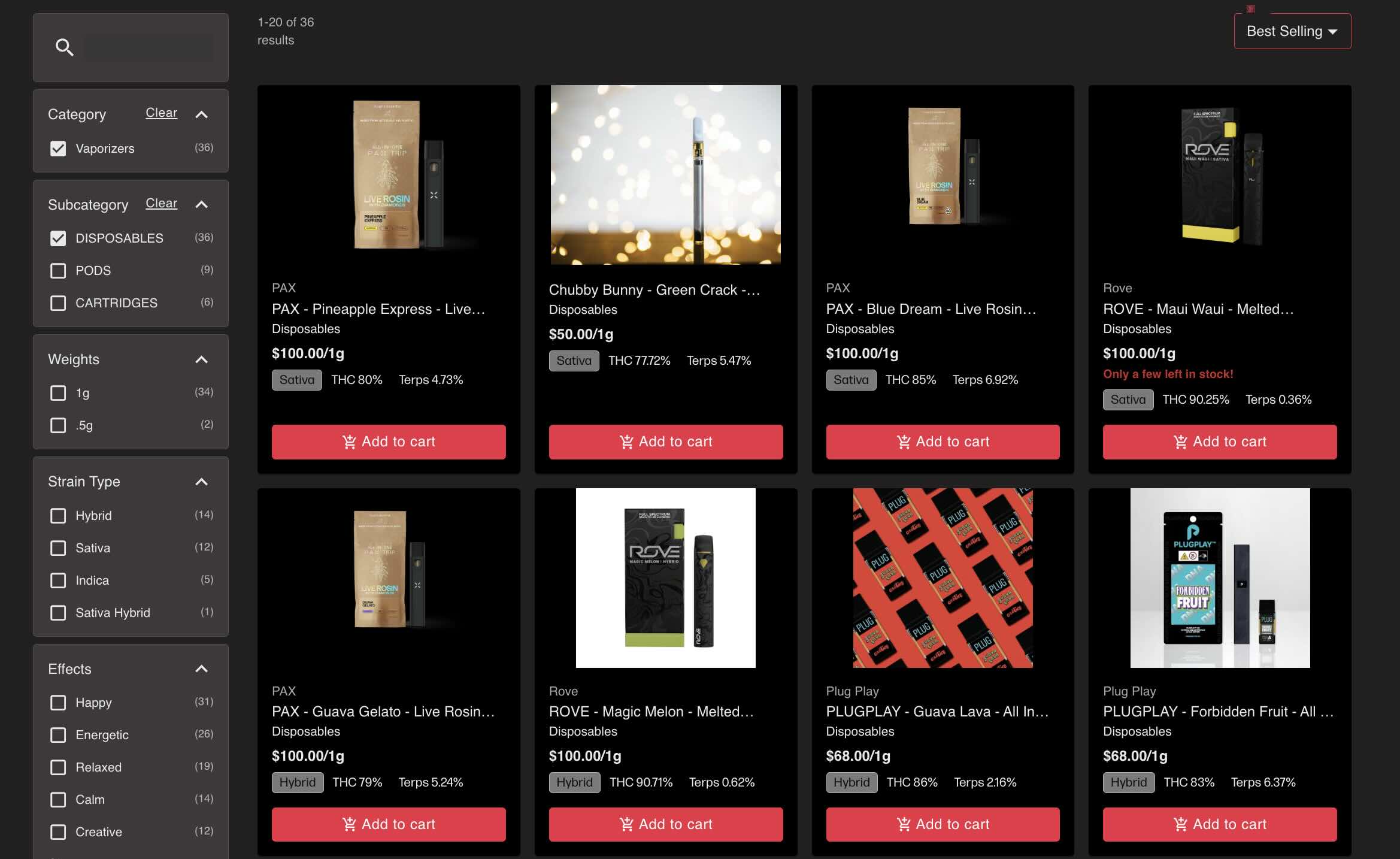
The menu gives you a few ways to find the right product without scrolling through everything.
You can use filters to narrow options based brand, product type, price, potency, or more.
Sort products by price or look at best sellers if you want to see what other shoppers are buying.
There’s variety within each category.
Vapes include distillate, live resin, and live rosin options.
Edibles have gummies and drinks with different cannabinoid blends and effects.
Pre-rolls include regular and infused options.
Take a few minutes to browse and compare.
Once you find something you like, open the product to see the details before adding it to your cart.
Step 3: Choose Your Products
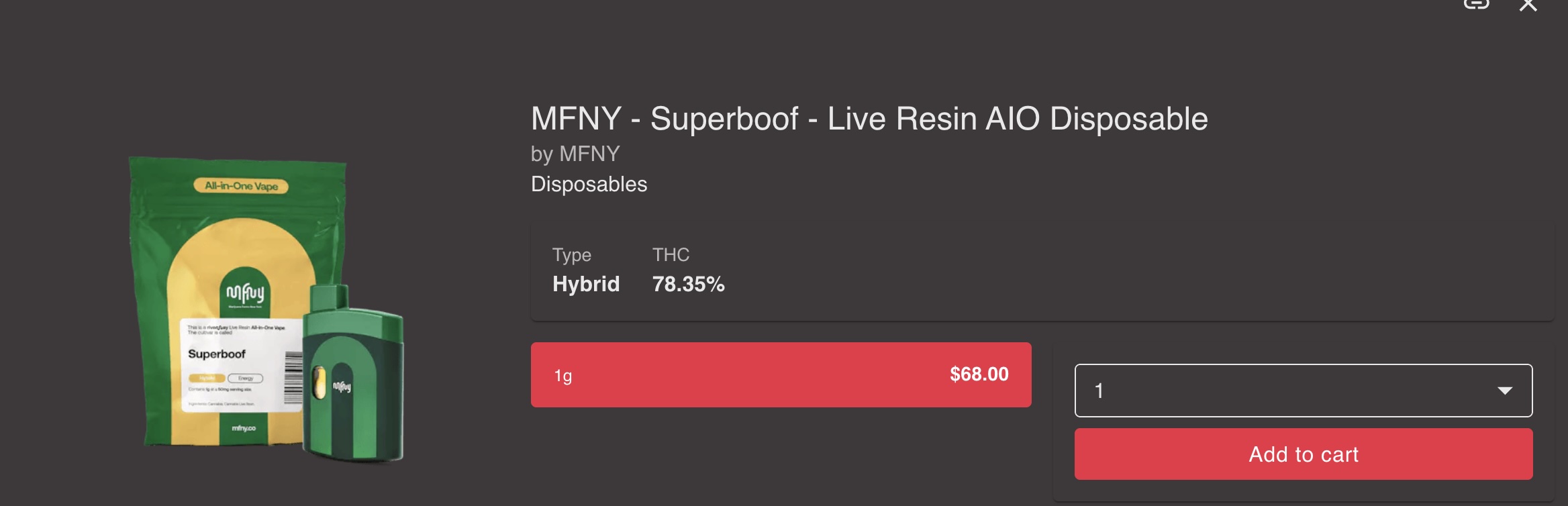
Click on any product to open the full product page.
This is where you can look at the details before adding items to your cart.
You’ll see the product name, category, size, price, and available quantity.
The page also shows THC percentage, terpene content, cannabinoids, effects, and a full product description.
You’ll see related recommendations or similar top picks if you want to compare a few options before deciding.
Once you know what you want, choose the quantity and click Add to cart.
If a product is running low, you’ll see a low-stock notice before you add it.
The price shown on the menu already includes tax.
Step 4: Review Your Cart
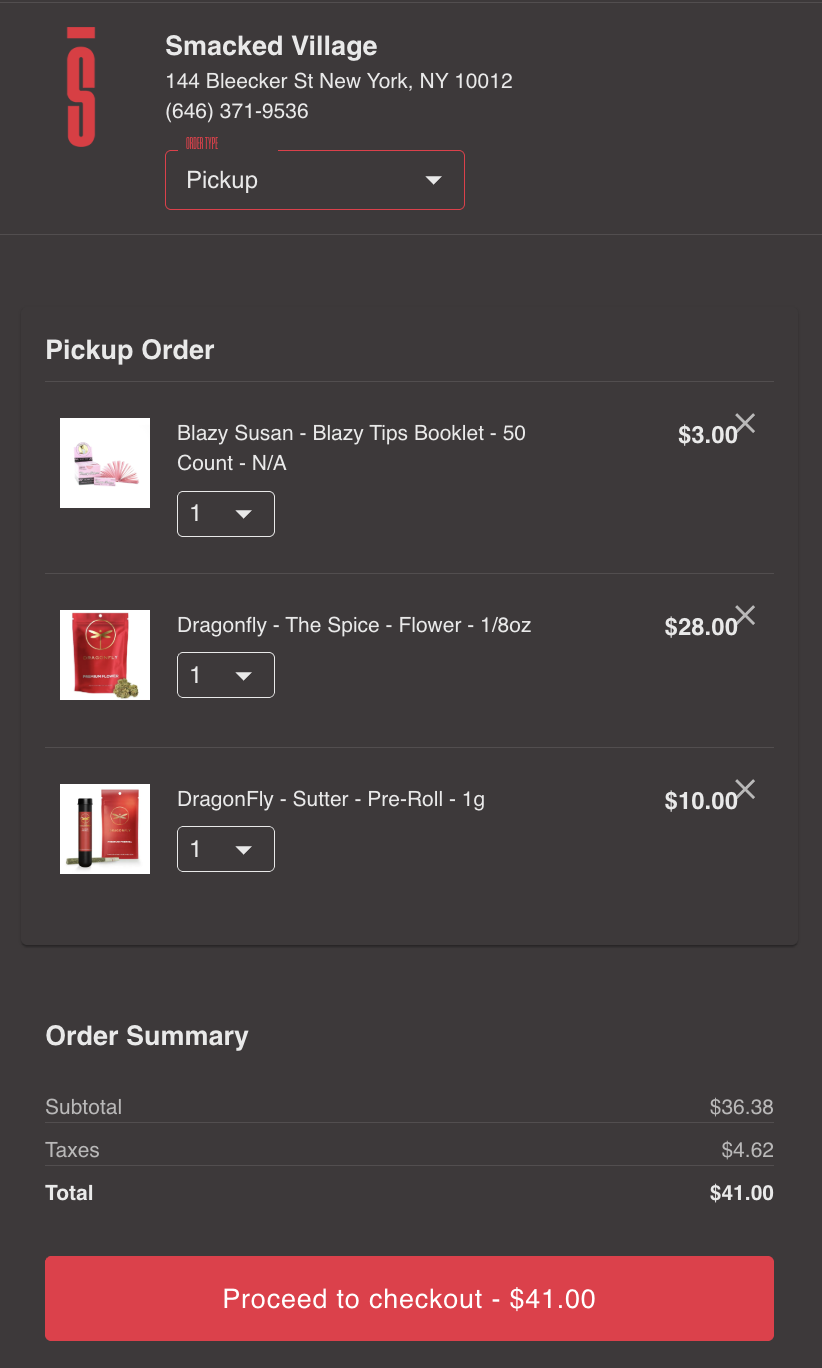
Once you add a product, open your cart and make sure everything looks right before checkout.
You can review the items you selected, change the quantity, or remove something if you changed your mind.
The cart will show the order total.
Since Smacked Village menu prices include tax, you’ll see the subtotal and tax amount, but the final total will match the price you saw on the menu.
You’ll be able to choose Pickup as your order type here before moving on.
Once everything looks right, click Proceed to checkout.
Step 5: Enter Your Pickup Information
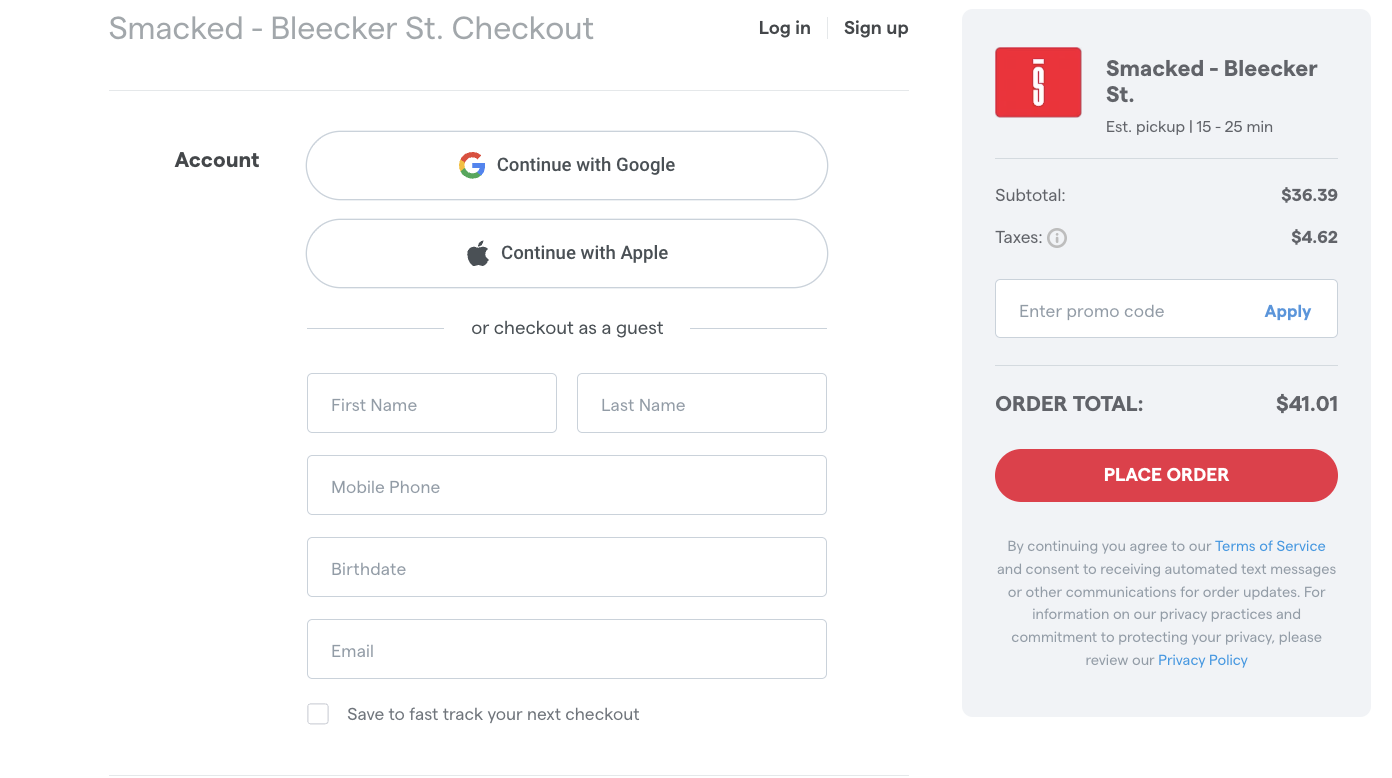
At checkout, you can sign in with Google or Apple, or continue as a guest.
If you already have an account, consider signing in so you can earn loyalty points.
If you don’t have an account yet, can create one during checkout to start earning points on purchases.
You can also check out as a guest by entering your name, mobile number, birthdate, and email.
Before placing the order, review your pickup details and order summary.
Pay now by linking your bank, or choose to pay in-store.
Step 6: Submit Your Order and Wait for Confirmation
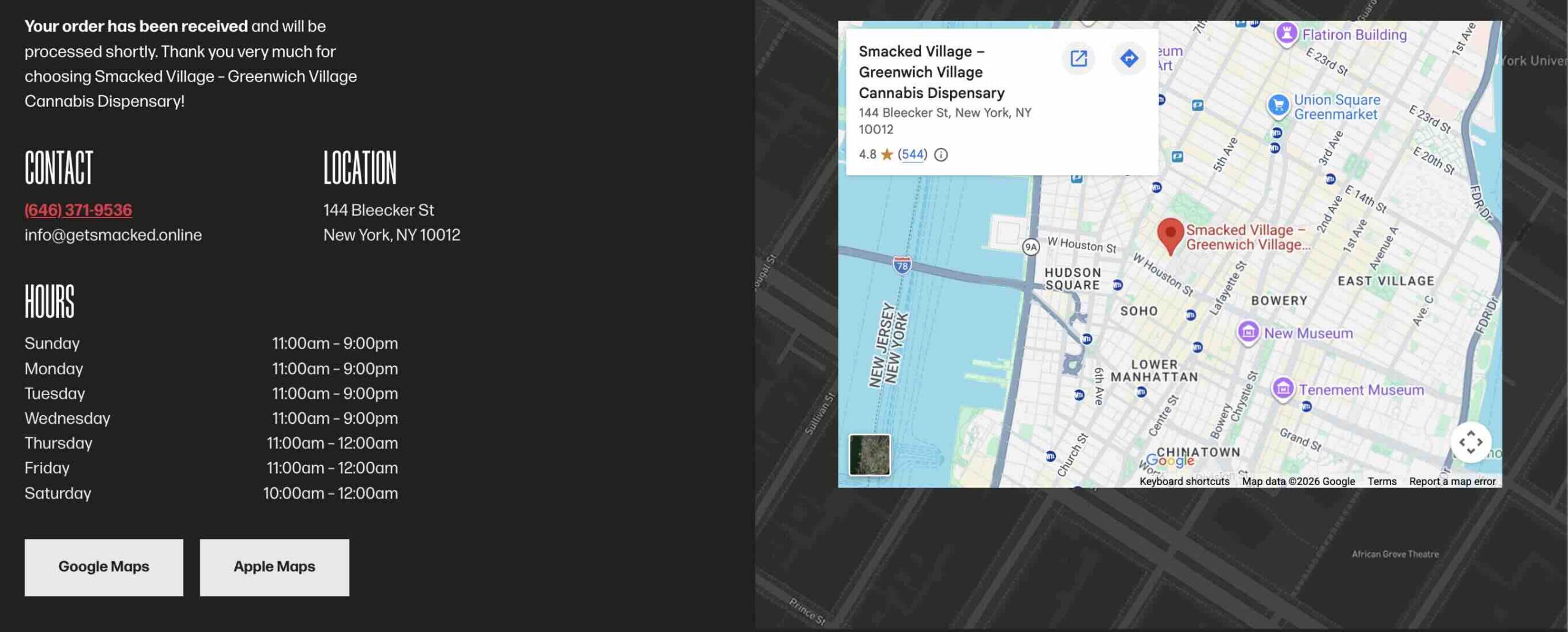
Once everything looks right, click Place Order.
The checkout page will show the estimated pickup time before you submit which is about 15 minutes.
After you place the order, wait for the confirmation message before heading to the shop.
That confirmation tells you the order has been received and gives you the latest pickup information.
Once it’s ready, head to Smacked Village at 144 Bleecker St with your ID and order details.
Step 7: Pick Up Your Order at Smacked Village
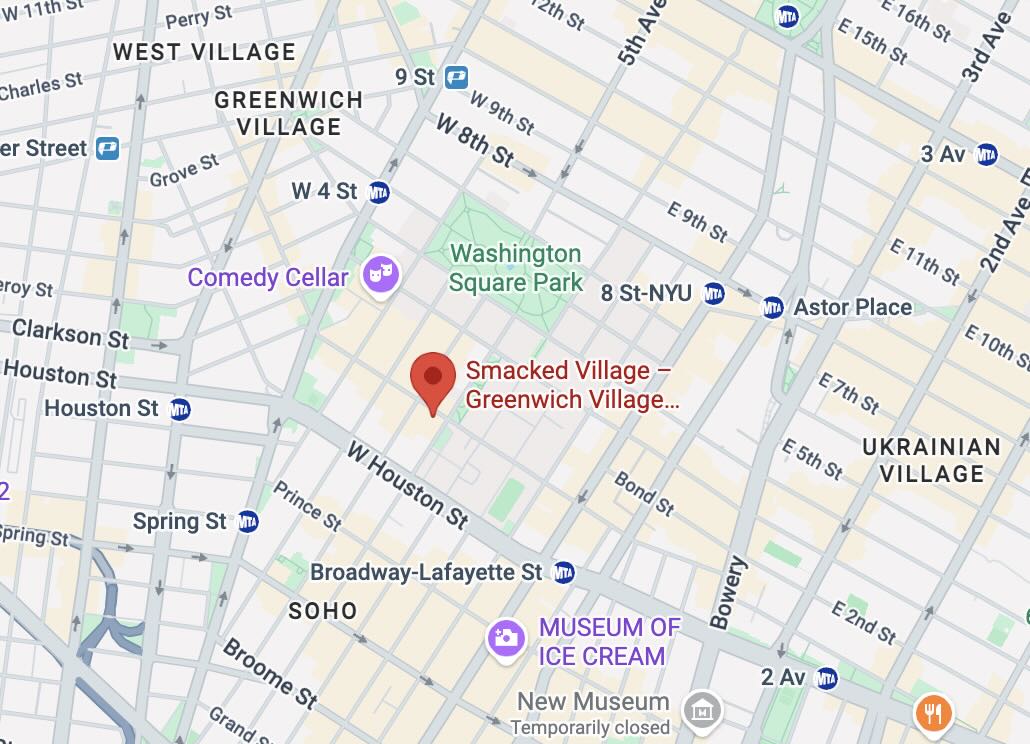
Once your order is ready, head to Smacked Village at 144 Bleecker St in Greenwich Village.
We’re just south of Washington Square Park and close to NYU, near Bleecker Street, Thompson Street, and LaGuardia Place.
If you’re coming by subway, the West 4th Street station is one of the easiest nearby stops.
You can also reach us from the 8 St–NYU or Broadway–Lafayette St stations.
When you arrive, bring a valid government-issued ID and let the team know you’re picking up an online order.
If getting to the shop feels out of the way, you can order local cannabis delivery in Greenwich Village and have your order brought to you.
How Long Does Pickup Take?
We prepare pickup orders within 15–25 minutes.
Wait for your confirmation before heading over. That gives the team time to prepare the order and helps keep the pickup itself quick once you arrive.
How to Pay for Your Pickup Order
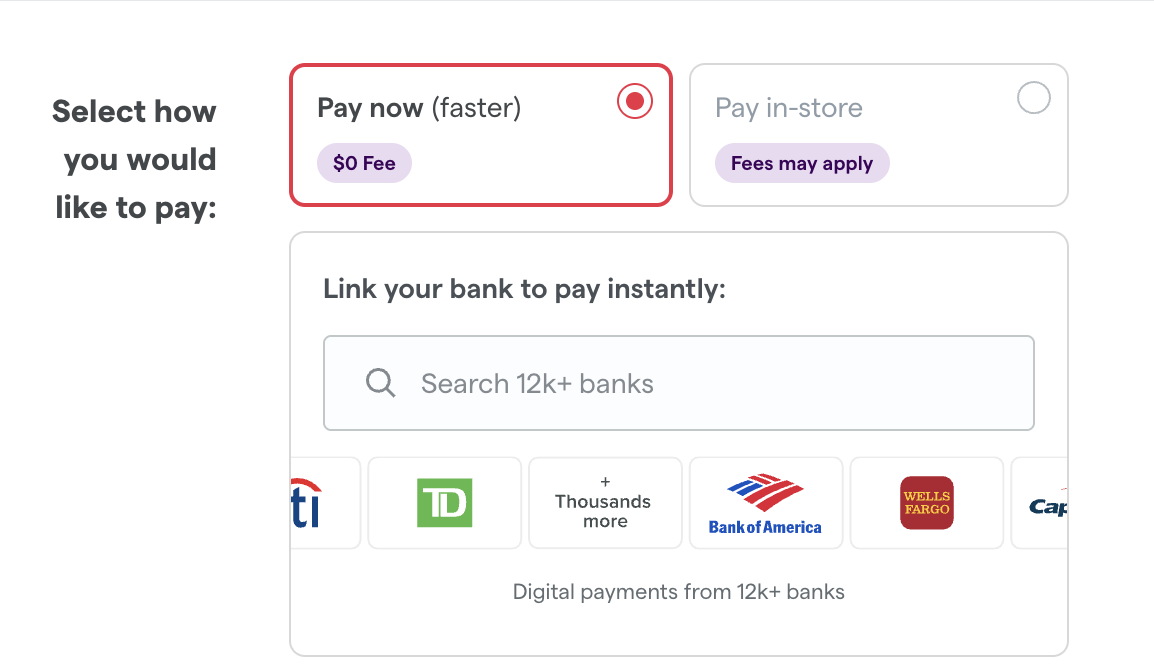
You can choose how you want to pay during checkout.
If you want to pay ahead, link your bank through Dutchie Pay.
Smacked Village accepts cash, debit, and Dutchie Pay for in-store payment.
Using Deals and Loyalty Rewards on Pickup Orders
You can still shop Smacked Village specials and earn loyalty points on pickup orders.
If you have an account, sign in before checkout so the order is connected to your profile.
Shop current deals directly from our Specials page to add discounted products to your pickup order.
When to Order Ahead Instead of Shopping In-Store
Order ahead is useful when you already have an idea of what you want.
Browse the menu before getting here to check what’s available.
It can make the visit faster.
If you would rather browse in person, ask questions, or compare products with the team, you can still shop in-store.
Order Ahead From Smacked Village
Browse the Smacked Village live menu, choose your products, and place your pickup order before heading to the shop.
Once your order is confirmed, visit us at 144 Bleecker St in Greenwich Village.
Bring a valid government-issued ID showing you are 21+.
Depending on how you checked out, you can pay ahead through Dutchie Pay or pay in-store with cash or debit.